For restaurants · Order No. 0042
Let your menu take the order.
byte·ai gives your restaurant its own page with an AI assistant that recommends dishes from your real menu and takes orders. Plus QR ordering at the table, kitchen and bar screens, and an app for your own couriers.
THE PROBLEM
Sound familiar?
The phone rings in your busiest hour
A phone order takes minutes, and a dish name or an address is easily misheard.
Guests wait for the waiter
For the menu, for one more drink, for the bill. Every wait is a lost order and a more tired team.
Your online menu is a PDF nobody reads
Hard to use on a phone, not searchable and invisible to the AI assistants people already ask where to eat.
THE SOLUTION
What changes with byte·ai.
Your menu talks back
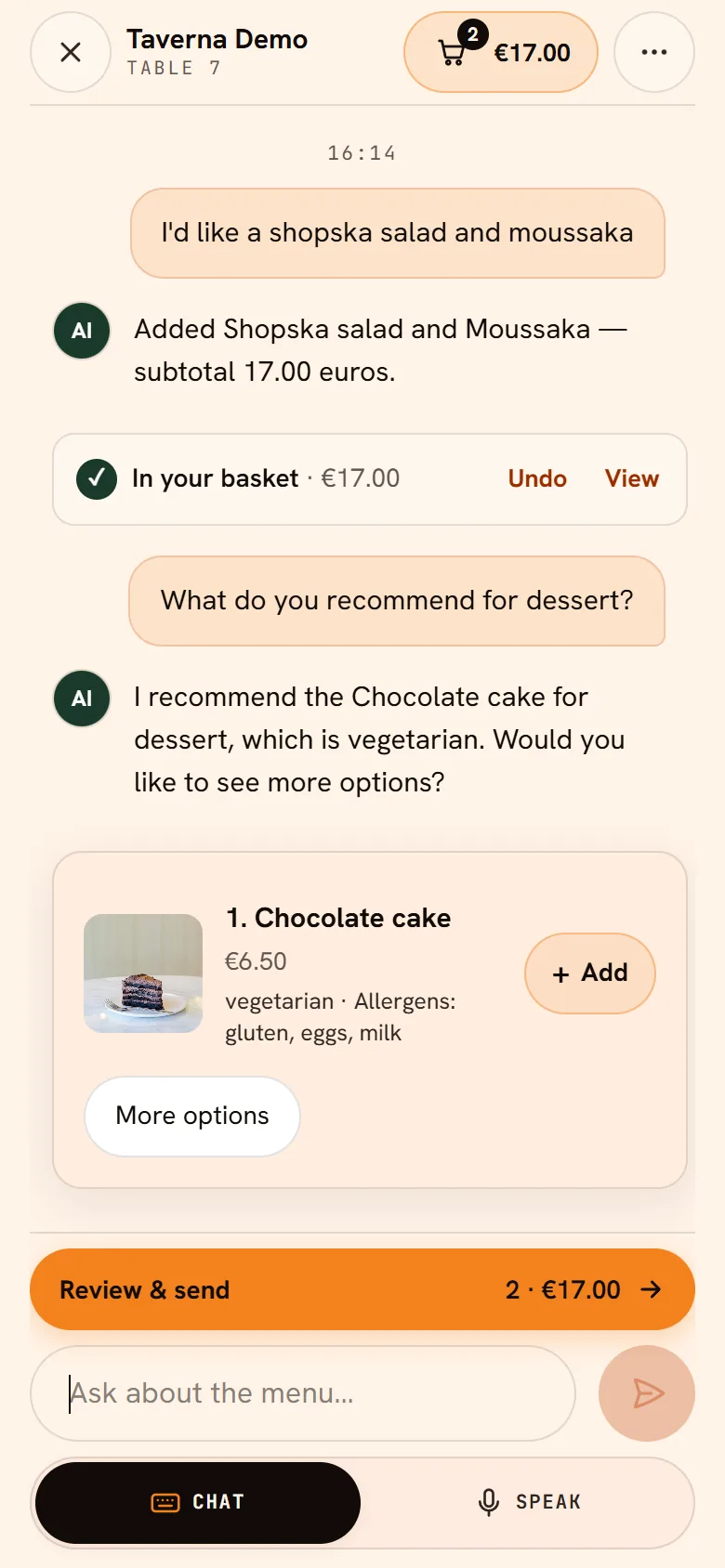
A guest says “something light, gluten-free, under €15” and the AI assistant picks the right dishes from your menu. It remembers their allergies, too.
The table orders itself
Guests scan the QR code and order from their phone, as often as they like. Orders light up on the kitchen and bar screens, and the bill is one tap away.
Your couriers, your guests
No third-party fleet: you deliver with your own team, and we give you the courier app, live tracking and delivery zones.
WHAT YOU GET
One tool, three ways to order.
Everything runs from one dashboard: orders, tables, menu, lunch menu and staff.
Ordering through an AI assistantONLINE
Your restaurant's page on byteai.food
- Your own page on byteai.food with your menufor: Guest
- An assistant guests can type or talk tofor: Guest
- Delivery and pickupfor: Guest
- Pay the restaurant on delivery or at pickupfor: Guest
- Live order statusfor: Guest
QR ordering in your venueAT THE TABLE
Ordering from the phone, kitchen and bar screens
- A QR code on every table, one shared bill with a PINfor: Guest
- Order in several rounds, call the waiterfor: Guest
- Request and split the billfor: Guest
- Separate kitchen and bar screensfor: Kitchen
- A waiter view on the phonefor: Waiter
With your own couriersDELIVERY
An app and live tracking, no outside fleet
- An app for your couriers: claim, navigate, hand overfor: Courier
- The customer sees the courier on the mapfor: Guest
- Delivery zones and address checksfor: You
- byte·ai does not deliver food: the couriers are yoursfor: You
AT THE TABLE, STEP BY STEP
How it looks at the table.
Five screens, from the QR code on the table to the order in your kitchen.
What your guest sees
Table 07 · phone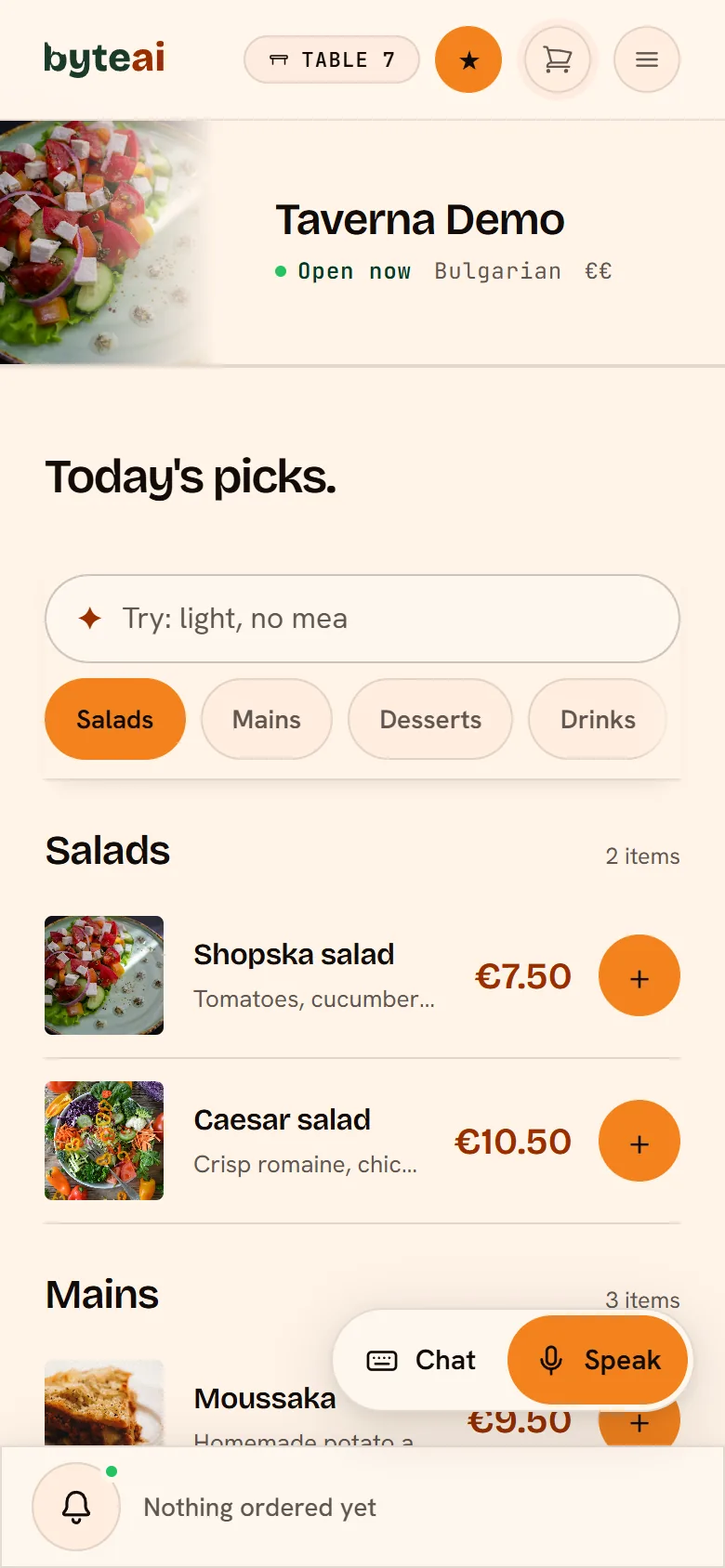 1
The guest scans the QR code on the table and sees your menu, no app needed. They can search dishes in their own words, too.
- 2
They order with words: they type or speak to the AI assistant, which knows your menu and allergens and adds the dishes to the order.
 3
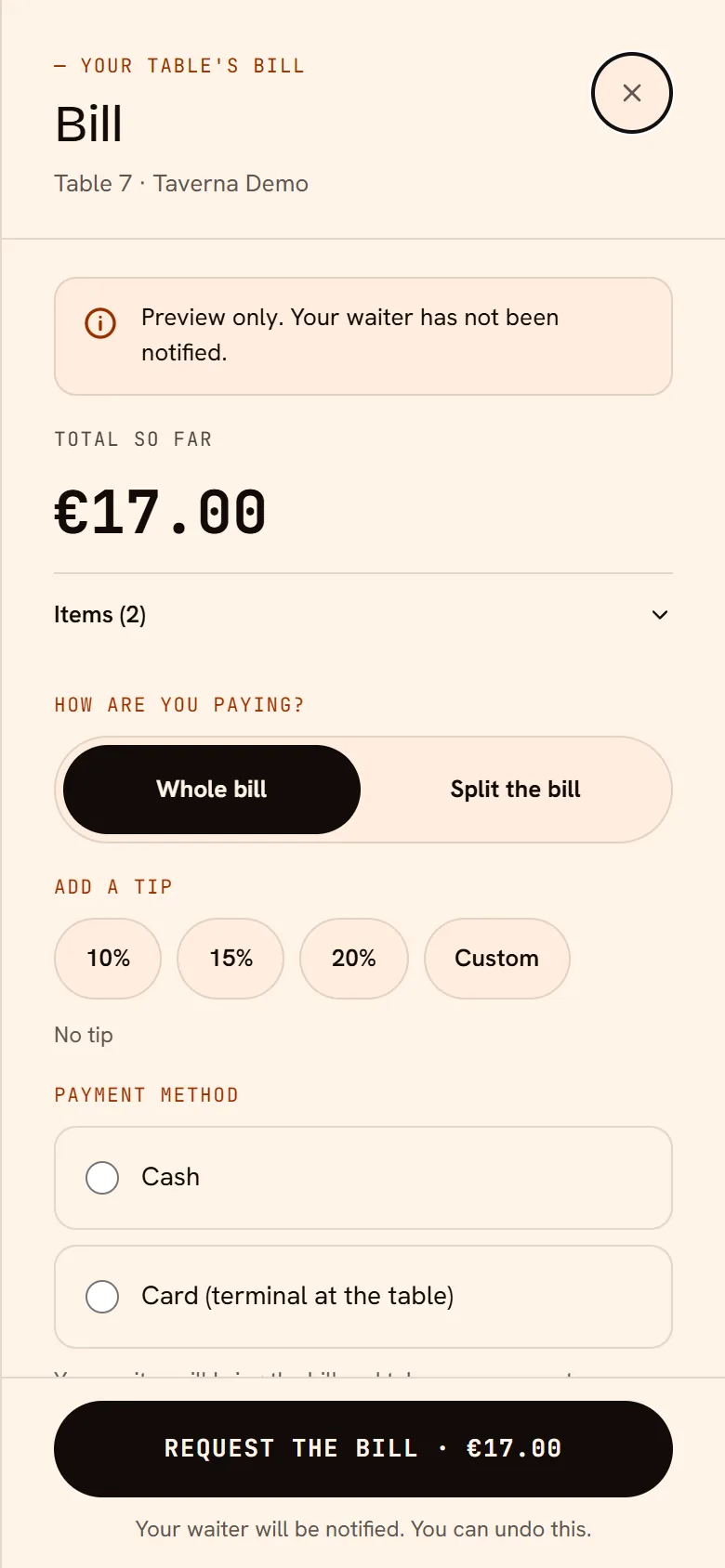
Friends at the table join with a PIN. They ask for the bill from their phone: whole or split, cash or card.
What you see
Kitchen · screen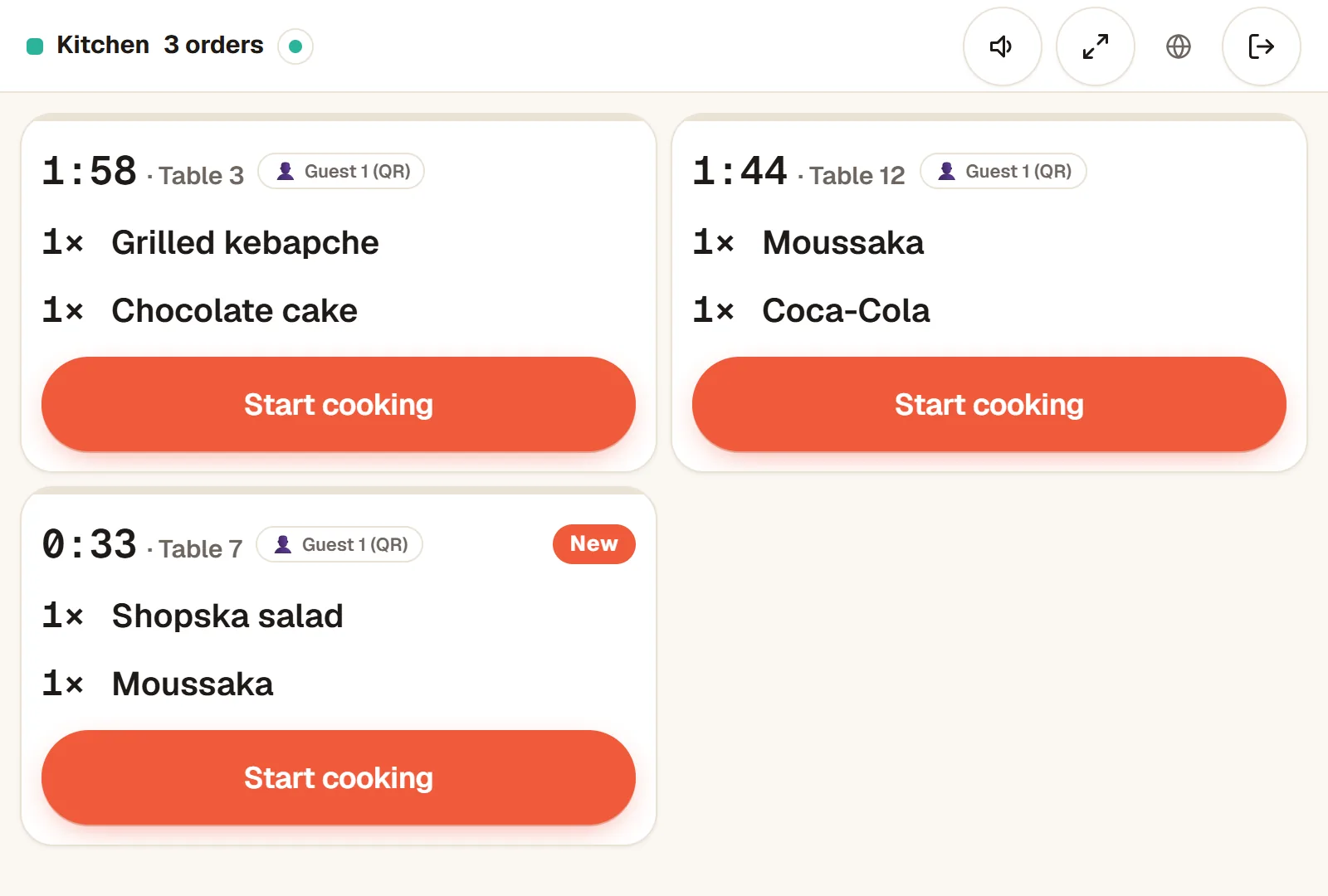 4
The order appears at once on the kitchen or bar screen, on any tablet or computer with a browser.
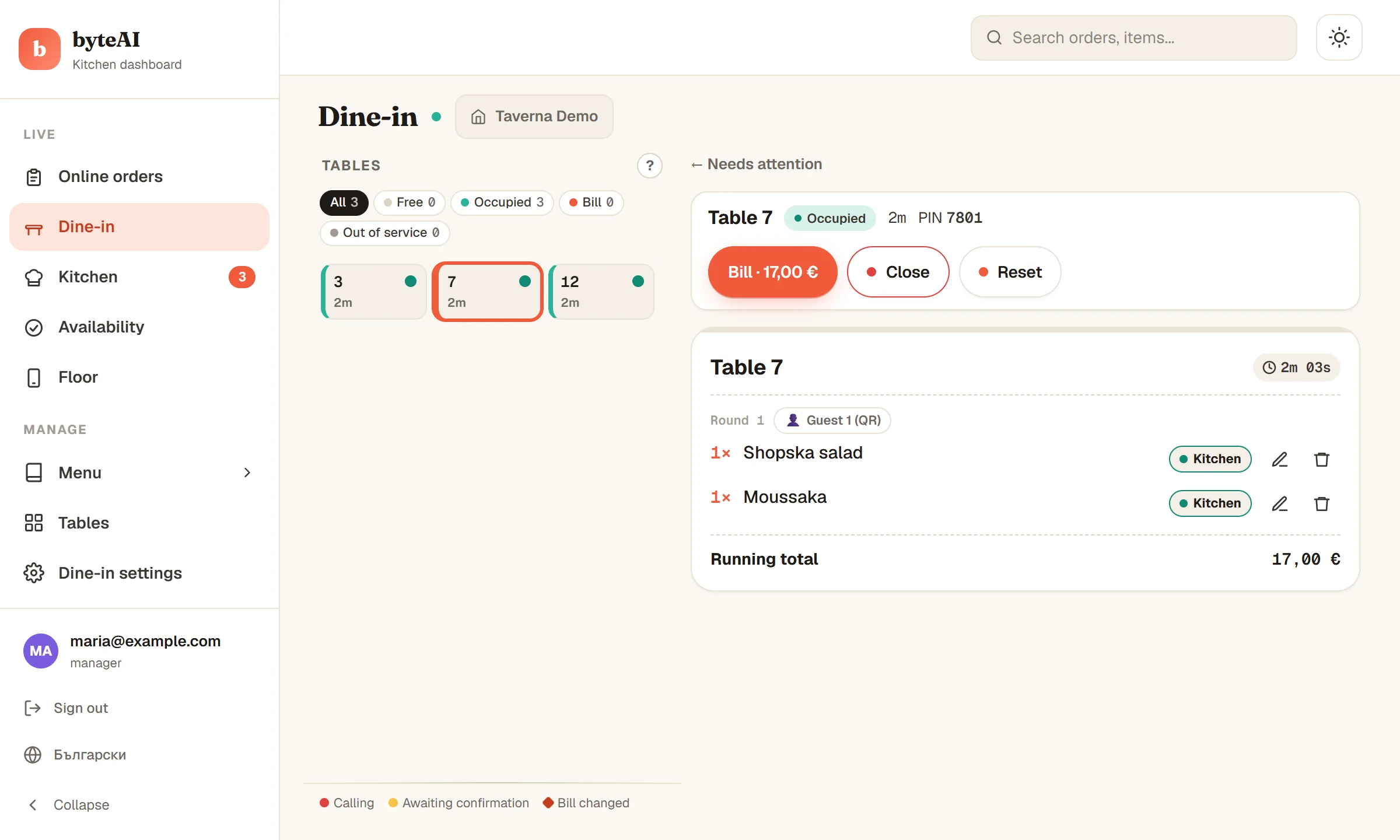 5
From the dashboard you see every table and order live and manage the menu and bills, with no special hardware.
Try it as a guest.
Open the demo restaurant, ask the assistant what to eat and add a dish to the cart. We'll show you ordering at the table live.
FINDABLE IN AI
Your menu, readable by AI assistants too.
More and more people ask ChatGPT, Claude and other AI assistants where to eat. We publish your menu, with dishes, prices, address and opening hours, so that assistants and search engines can read it and recommend you.
HOW WE START
From a conversation to your first order.
Get in touch
Tell us about your venue: tables, delivery, team.
We set everything up together
We enter your menu and create your tables and printable QR codes.
A short training
We show your team the dashboard, the kitchen screen and the waiter view.
You go live
Put out your QR codes and your page. We stay on hand for questions.
FREQUENTLY ASKED QUESTIONS
Questions and answers.
- How much does it cost?
- The price depends on your venue and the services you use. Get in touch and we'll send you an offer.
- How do guests pay?
- Guests pay the restaurant on delivery or at pickup, and at the table with your own terminal. You decide which payment methods you accept. We don't offer online payment yet.
- Who delivers the orders?
- Your own couriers. byte·ai does not deliver food: we give your couriers an app, and the customer follows the delivery on the map.
- Who enters the menu?
- For now, we do: send us your menu (PDF, photo or link) and we enter it. After that you edit it yourself in the dashboard. Soon you'll be able to add it yourself, automatically.
- What equipment do I need?
- Any device with a browser: the dashboard, the waiter view and the kitchen and bar screens need no installation. For the kitchen and bar we recommend at least a tablet, because a phone shows only a few orders at once.
- Which languages does it support?
- The guest site and the dashboard are in Bulgarian and English.
- How do guests find my menu?
- Through your page on byteai.food, the QR codes on your tables, and the search engines and AI assistants that can read your menu.
Let's talk.
Tell us about your restaurant. We'll show you byte·ai live and walk you through getting started together.